:::
跳到主要內容
:::
資源分類
綜合活動-國小5-6年級(三)
過濾條件

搜尋相關的資源 502
PingPong - SPOT Networking
app PingPong - SPOT Networking
黃玟菁/教育大市集執行團隊國小1年級~國中9年級,高中10-12年級,高職10年級~高職12年級
PingPong is a tool that enables communication for people who have gathered for a lecture, class, discussion, etc. It can be useful for inducing audience questions, assessing students' understanding, sharing materials easily and selecting winners in draws without a complicated registration process. PingPong- Easy, Fun, and Quick SPOT Networking! Start right now. *Important! PingPong Web Veta version has been launched. If installation is impossible due to OS problems, please visit gogopp.com/web. *Note! If access is impossible due to firewall, open port 49153. ▣ PingPong service features 1. Smart accessibility It can be used on any device: iPhone, iPad PC, etc. 2. Simple access Host and guests can both use the service without registration. 3. Various activities The Host can ask for responses with different methods such as true/false, text, image, etc. 4. Quick results Guests' responses can be checked in real time with graphs, lists, etc. 5. Link to Evernote Materials saved in the Host's Evernote can easily be loaded and shared with the Guests.6. Convenient tool Fun to use with functions such as the timer and random selection. ▣ Difficulties in proceeding.. Disorganized situations where people are chatting and not paying attention.. Awkward situations where people are asking questions not related to the subject.. Situations where you're wondering whether people understand the subject or whether you're explaining things that they already know about.. These situations are all experienced by Host's who host lectures, classes, and events. It is really hard to get peoples' attention and bring fun to places where many people are gathered. However, these problems can all be solved when you use Easy, Fun, and Quick PingPong. ▣ Here's how to use PingPong: 1. Speeches, Seminars Use the [Send Text] function when you want to induce audience questions. Use the [Send Image] function when you want to organize hosts' business card. 2. Classes, Lectures Use the [Multiple Choice 4] function when you are curious about students' understanding. Use the [True/False] function when you are doing a quiz contest. Use the [Send Image] function when you draw your teacher's or friend's face. 3. Discussions, Meetings Use the [Load Evernote] function when you want to show meeting materials. Use the [Share Evernote] function when you want to share minutes from the meeting. 4. Events Use the [Random Selection] function when you want to draw for winners. Also you can apply PingPong usefully in many other different situations. ▣ Main Functions Multiple Choice 4 Multiple Choice 5 True/False Send Text Send Image Load Evernote Share Evernote Timer Random Name PresentationStart using PingPong right away- it's Easy, Fun, and Quick SPOT Networking! ▶ Contact Us • Homepage : http://gogopp.com • E-mail : help@gogopp.com PingPong - SPOT Networking 1.能在多種平臺(iOS與Android) 各式設備上(PC、平板或手機)使用此APP;2.無須註冊即可使用;3.可即時回饋統計資料圖表
點閱數786
下載數38
修改日期:2025-04-18
交通安全
web 交通安全
謝濰萁/縣立新興國小國小3-6年級
交通安全
點閱數477
下載數32
修改日期:2017-08-28
楓樹畢業之光
web 楓樹畢業之光
蔡郁樺/楓樹國小國小6年級
楓樹畢業之光
點閱數448
下載數25
修改日期:2014-08-22
冬至吃火鍋學習單
web 冬至吃火鍋學習單
蕭哲雄/土城國小國小5-6年級
冬至全班吃火鍋,分組,組內人員工作分派,計算攜帶食材價格
點閱數3378
下載數388
修改日期:2024-07-16
富岡社區
web 富岡社區
郭木財/縣立富岡國小國小5年級
介紹富岡社區內的重要建築物和景點
點閱數468
下載數3
修改日期:2013-11-28
居家安全檢查表
web 居家安全檢查表
鄭盧怡君/縣立海端國小國小6年級
營造安全的生活首先從自家開始,居家安全是家庭中每個人的責任,現在請你和家人一起填寫居家安全檢查表,一起營造一個安全的居家生活環境,讓我們在家中過著無憂無慮的生活吧!
點閱數843
下載數30
修改日期:2013-11-26
102學年度教育部創新應用典範團隊成果~新北市白雲國小
學校自99年度開始推動資訊融入教學,將硬體設備逐年更新。近年來,在全校積極投入下,逐步規劃完成以『F5E戰機』為主軸的校本課程。在課程裡,採用了『F5E』教學模式,充份運用科技的力量來輔助課程的教與學,而這也完全符應了本校校本課程裡『有效率』的精神。在未來,我們期待孩子們的學習,能夠達到人人可學習、處處可學習、時時可學習的境界,讓白雲的孩子都能自由自在地享受『漫步在雲端裡』。
點閱數1376
下載數66
修改日期:2013-11-15
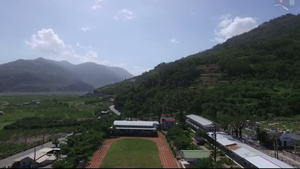
臺東縣東海國小102年度資訊科技融入創新教學應用團隊
web 臺東縣東海國小102年度資訊科技融入創新教學應用團隊
詹凱賀/縣立東海國小國小4年級~國中9年級
臺東縣東海國小102年度資訊科技融入創新教學應用團隊1. 簡報2. 教學活動影片3. 文本
點閱數942
下載數68
修改日期:2013-11-11
冬至學習單
web 冬至學習單
柯世堡/縣立初鹿國小國小5-6年級
藉由一系列的冬至相關資料編排,使學生了解其習俗由來,也進行訪問、數學計算、煮湯圓活動紀錄,期盼活動後學生對於冬至能有更完整的認識。
點閱數1744
下載數59
修改日期:2013-09-12
如何在現有圖形製作photocap外框-PhotoCap 多圖外框
web 如何在現有圖形製作photocap外框-PhotoCap 多圖外框
李維哲/縣立水林國中國小4年級~國中9年級
PhotoCap 的多圖外框是個有趣好玩的自製外框功能,有學生問到如何利用現有的圖形製作多圖外框。本範例示範如何將現成的圖形,指定套用照片範圍,製作成photocap的多圖外框。
點閱數1222
下載數24
修改日期:2013-09-06