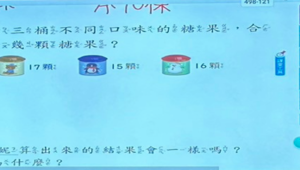
COOL FEATURE:-Try with PickMe!Play desktop app available from pickmeplay.com for interfacing with any type of software on your PC or MacFOR BEST OPERATION:- We recommend using an Airport Express Wi-Fi access point with the PickMeBuzzer app for best performance. E-mail us at pickmegames@buzzers.com for more information on configuring a new Airport Express for your event.SUGGESTED USE:- NEW FEATURE: With 1 iPhone and 1 iPad (manual reset, show scoreboard and who buzzed in on big screen) - Allows up to 5 players on an iPad/iPhone to wirelessly connect to another iPhone so you can (1) reset the iPad buzzer system from your iPhone and (2) update names of who buzzes in projected onto a big screen. Step 1:Create game with host deviceStep 2:Connect iPad to TV screen or Projector via accessory cableStep 3:Enter and select created game from iPadStep 4: Select 5 Player Mode on iPadStep 5: Select Scoreboard mode from iPhoneYou can now change the scoreboard and edit names projected on the big screen. Very Cool!- With 1 iPhone or 1 iPad ( stand alone built-in automatic reset) - Use 5 Player Buzzer mode to create a 5 player buzzer system. Connect TV out or VGA cable to device. This will project who buzzed in first onto a big screen (great for classroom, auditorium, and group training sessions). Score and names cannot be changed in this mode. An additional iOS device is required to change names and scoreboard.- With 1 iPhone and 1 iPad (manual reset option) - Allows up to 5 players on an iPad/iPhone to wirelessly connect to another iPhone (and your favorite Desktop software) so you can reset the iPad buzzer system from your iPhone- With 3 or more iPads/iPhones and 1 iPhone - Allows up to 5 players (per iOS device) to join a game created by the host with an iPhoneHave fun with PickMeBuzzer and if you have a special desktop app you want to use with our app let us know!CUSTOMER SATISFACTION POLICY:We take pride at delivering quality software and do not want you to have a bad experience with our apps. One of the most common problems that occur with our PickMeBuzzer App is with the Wi-Fi access point not being open to let the different iOS devices communicate. If you are trying to use a school or company Wi-Fi access point, it might not work due to security settings on the Wi-Fi access point. We suggest when using the PickMeBuzzer App to get your own dedicated access point that works properly with iOS devices to avoid Wi-Fi access point problems. Our apps go through testing to make sure you have the best experience possible, but we have no control over the Wi-Fi access point hardware you decide to use. However, we can recommend what works best with our apps.Please e-mail us at pickmegames@buzzers.com if the app is not working to your satisfaction! We want to make sure the app is working for you. PickMeBuzzer 可在課堂上讓學生們藉由此APP進行搶答。是一個需要付費購買的APP。
修改日期:2025-04-18